DON'T FORGET TO SIGN OUT WHEN YOU ARE FINISHED! (see below...)
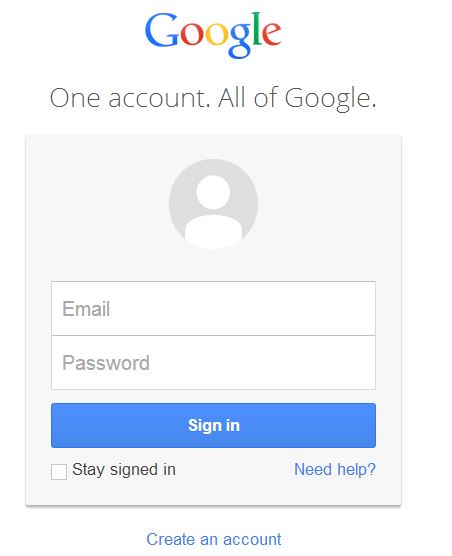
Whenever you come back to Gmail, you will be required to "Sign in."
You've already seen this page but here is a reminder of what it will look like.
 |
|
| Notice: When you type in your password, it will show up on the screen as little dots. | |
| Hint: Make sure the box next to "Stay signed in" is UNchecked. If it already checked, click it to UNcheck. | |
IMPORTANT!
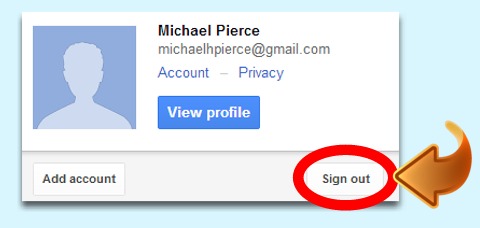
When you are done using Gmail, you MUST "sign out" so that the next person that uses the computer doesn't have access to your emails.
To sign out, tap on the little picture of the head ( ) in the upper right hand corner of Gmail.
 |
|
Then, tap on the "Sign out" box. |
Click on the "Next Page" button to continue.